Who Can Disarm Your Business? An Alarm Access Checklist for Arizona Owners
A single shared code feels simple until someone quits, a contractor finishes or an alarm goes off at midnight. A little structure keeps your business alarm useful and under control.
By the Adapt Home team · · 6 min read
For many small businesses, the alarm code is the worst-kept secret in the building. It was set up years ago, written on the back of a schedule, and passed from one employee to the next. That works until it does not: a former employee still knows how to get in, nobody remembers who can add new users, or the only person the monitoring center can reach is on vacation.
Whether you run a retail shop in Mesa, a dental office in Chandler or a small warehouse in Tucson, the same checklist applies.
Start With Roles, Not Codes
Before touching the keypad, write down how people actually come and go. Answer these questions on one page:
Who opens the business, and who closes it, on each day of the week?
Who should the monitoring center call first, second and third if an alarm goes off?
Who is allowed to add, change or remove users?
Which outside people need entry, such as cleaners, landscapers or HVAC technicians?
This simple map shows where your current setup has gaps. A system only the owner understands becomes a problem the first time shifts change or the owner is unreachable.
Give Every Person Their Own Access
Ask your provider whether your system supports individual user codes or app accounts. Most modern systems do. Separate codes make it possible to remove one person without changing everyone else's routine.
Where your system allows it, match permissions to responsibilities:
Administrators can manage users and settings. Keep this to one or two trusted people.
Managers and key holders can arm and disarm and may receive alerts.
Staff can arm and disarm during their scheduled hours, if your system offers schedules.
Service providers get limited or temporary access only.
Event history in the app can show which code was used and when. Remember that it shows the credential, not necessarily the person, since codes can still be shared. That is one more reason to discourage sharing.
Key point: Never hand out the owner's master login for everyday use. Give people the access their job requires and nothing more.
Plan for Seasonal Staff and Outside Workers
Arizona businesses often have a rhythm that shifts with the seasons. Many restaurants and shops add staff when winter visitors arrive, then trim hours in the summer heat. Service visits change too, with more HVAC work in the hot months.
Decide in advance how temporary access will be granted, checked and taken away. If your system supports scheduled or expiring codes, ask your provider to show you exactly how they behave instead of assuming a code shuts off on its own. Consider pairing alarm codes with smart locks that allow time-limited entry codes for vendors.
Also tell temporary workers what to do if they arrive and the building is already armed, and who to call if something goes wrong. Avoid posting instructions with codes in break rooms or near entrances.
Write a Short Opening and Closing Routine
A written routine keeps everyone consistent, especially new hires. Keep it to a few steps:
At opening, disarm promptly within the entry delay, then check that the system shows disarmed.
Walk the main entrances and note anything unusual, such as a door left unlocked or a broken window.
At closing, confirm the back door, roll-up doors and any side gates are closed and locked.
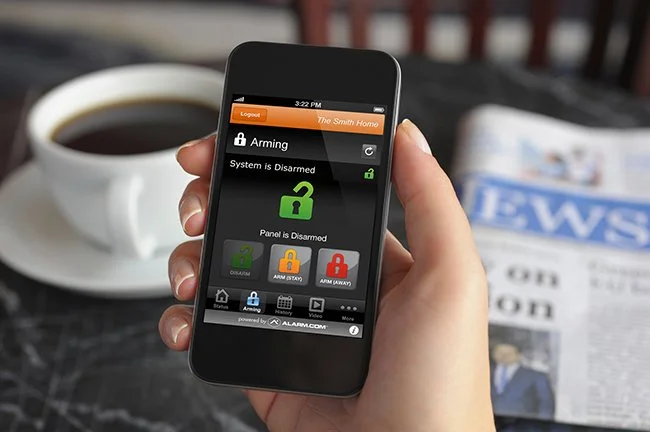
Arm the system using the approved method and confirm the armed status on the keypad or app.
Report any trouble message, low battery warning or sensor that will not close.
Ask your installer how entry delays and any arming schedules fit your business hours. If you want to train staff on the system, arrange it through your provider's test procedure. Never use a live alarm as a training exercise.
Many Arizona cities have alarm permit requirements or fees for repeated false alarms, so check with your local city as well. A clear routine is one of the best ways to keep false alarms down. For a look at how a monitored alarm is handled, see what happens when an alarm goes off.
Remove Access the Same Day Someone Leaves
When an employee leaves or a contractor's work is done, treat access removal as part of the offboarding process:
Delete or disable their alarm user code.
Remove their app account and any shared camera access.
Change or remove smart lock codes and collect physical keys and fobs.
Update the monitoring center's call list if they were an emergency contact.
Review who can add new users, in case permissions changed over time.
Removing someone from one system does not remove them from the others, so check each one separately. Repeat a full access review every few months, and any time your opening or closing routine changes.
Build a System Around How Your Business Runs
Adapt Home protects homes and businesses across Arizona with customized alarm and video surveillance systems designed around your hours, your staff and your space. Get a free quote or call (833) 902-5036 to talk with a security specialist about your business.
Questions about your home?
Talk with a local Adapt Home specialist. The consultation is free.
Yes, when your system supports it. Individual codes let you remove one person without changing everyone else, and the event history shows which code was used.
How should I handle alarm access for cleaners and contractors?
Give them limited or temporary access where your system allows, confirm with your provider how expiring codes behave and remove their access as soon as the work ends.
What should I do when an employee with alarm access leaves?
Remove their alarm code, app account, camera sharing and smart lock codes the same day, collect keys and fobs and update the monitoring call list if needed.
How can my business reduce false alarms?
Use a short written opening and closing routine, train staff through the provider test process rather than live alarms and keep contact lists current. Also check whether your city has alarm permit rules.
Interested in protecting your home or business? Request a quote and one of our security specialists will reach out to see how we can customize a security system that works for you.